
Prevent RC Car Overheating: Tips to Keep Motor and ESC Cool
Learn how to prevent RC car overheating with tips on temperature monitoring, gearing, and cooling for motor and ESC reliability.
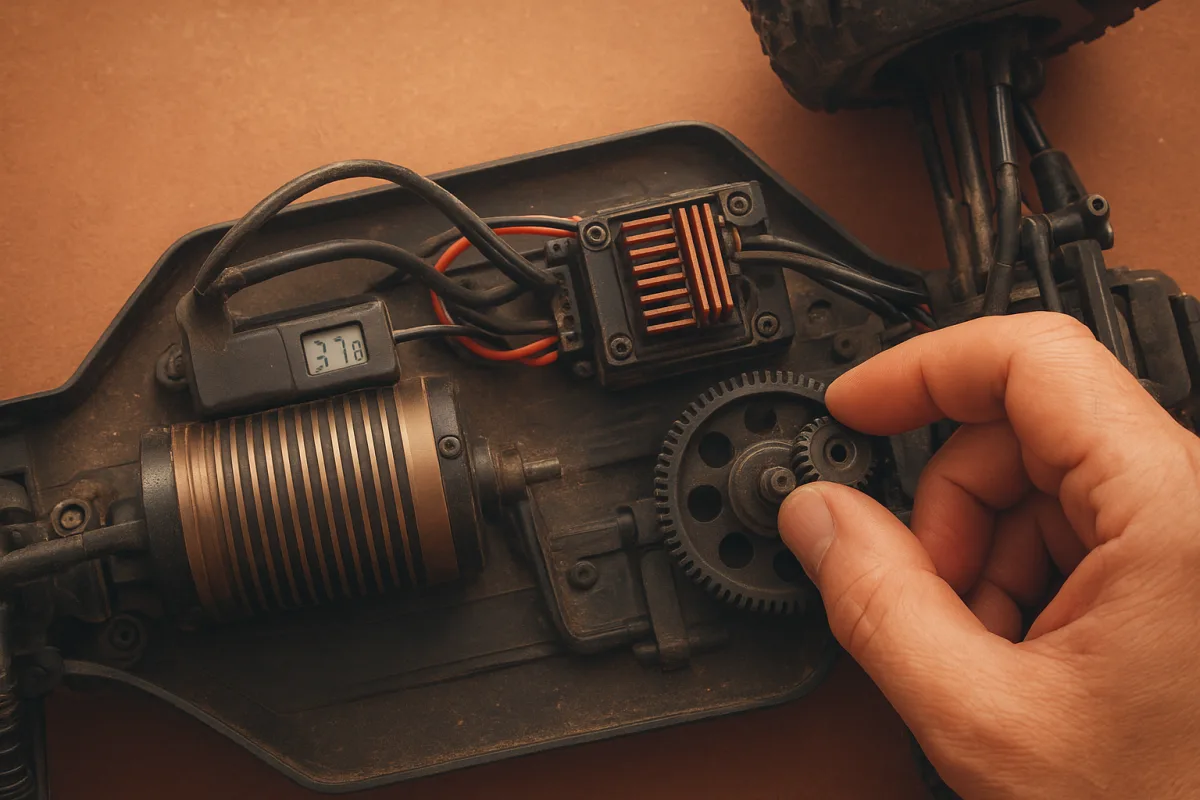
The first problem: it feels quick, then loses punch
The usual complaint starts halfway through a pack. The car was sharp for the first few laps, then it feels flat, the ESC may reduce power, and the motor is hot enough that you do not want to keep a finger on it.
Do not diagnose that by runtime. There is no universal “ten-minute safe run” for RC cars because current draw changes with throttle use, surface, vehicle weight, gearing, tyre diameter, ambient temperature and battery condition. Temperature tells you more than a stopwatch. [1][5][6]
Use an infrared temperature gun and check the motor can and ESC immediately after a representative hard run. Check after the same section of track or the same full-throttle passes, not after letting the car sit while you walk over.
For a brushless motor, the sensible working target is roughly 140 to 160°F, or 60 to 71°C. Once you are regularly above 160°F, you are spending reliability for speed, and temperatures around 180°F raise the risk of damage including magnet degradation. [1][4]
Manufacturer maximums are not operating targets. Traxxas permits up to 200°F, or 93°C, for some motors, while Hobbywing lists up to 212°F, or 100°C, for some products. Those limits leave little margin for a missed temperature check or a hotter next pack. [1]
ESC guidance is similarly inconsistent. RCexplained recommends staying below 140°F, or 60°C, while Hobbywing ESC guidance can allow operation up to 176°F, or 80°C. I would tune a race car to the lower figure, because an ESC repeatedly run near its published ceiling is not maintaining performance. [2]
Before ordering parts, find out what is getting hot
Motor and ESC temperatures point you toward different faults. A motor that is much hotter than the ESC is commonly working too hard mechanically or being over-geared. An ESC that is exceptionally hot can indicate excessive current demand, poor airflow or an electrical mismatch. [7][9]
Start by measuring both pieces after the same run. Record ambient conditions, battery used, pinion and spur count, tyre choice, surface and temperatures. That is racer-notebook stuff, but it beats swapping random parts and calling it tuning.
If both the motor and ESC are hot, do not bolt on a fan and declare victory. Look at gearing, drivetrain drag, tyre load and battery capability first. Cooling hardware removes heat, but it does not reduce the amps required to push an overloaded car. [6][7][15]
A 1/10 off-road buggy and a 1/8 truggy should not receive the same answer. The heavier 1/8 vehicle, larger tyres and higher traction can load a system far harder, while a 1/10 platform commonly uses a 3650 or 3660 motor chosen for its battery voltage and class. [3][8]
The next lap: reduce load with gearing and tyres
If temperature climbs quickly during acceleration or long full-throttle sections, reduce the pinion size or increase the spur ratio. That lowers motor RPM under load and reduces the current draw that turns battery energy into heat.
Do not make a one-tooth change, run once on a cold morning, and assume the issue is solved. Recheck temperatures in the same conditions after every gearing change. Grass, tyre choice and gearing all change heat load, especially on vehicles that spend time at high throttle. [6]
Tall gearing often looks fine on the bench. The wheels spin fast, the motor sounds crisp, and the car might survive a light parking-lot pass. Put it into thick grass, deep dirt, or a high-grip track, and the load rises fast. [6]
Tyres matter just as much as pinion count. A larger-diameter tyre effectively makes the gearing taller, and a heavy or aggressive tyre can increase the work required to accelerate and maintain speed. That is why a tyre change can turn a previously safe setup into a hot one. [6]
This is especially easy to miss when bashing a 1/10 monster truck or stadium truck. The car may have the same motor and ESC as a lighter platform, but larger tyres, grass and repeated full-throttle pulls ask much more from the system. [6][8]
Do not chase heat with diff oil first. Diff fluid affects how the car transfers drive and can change how hard it works on a particular surface, but the brief supports gearing, tyres and vehicle load as the primary heat checks. Sort those fundamentals before changing 7K to 15K oil.
Then inspect the drivetrain, not the catalogue
A car with excessive rolling resistance can overheat even with conservative gearing. With the motor disconnected or pinion removed, roll the chassis and feel for gritty bearings, a tight gear mesh, rubbing driveshafts, seized transmission parts or debris trapped around axles.
The research brief identifies vehicle overloading and mechanical causes as common reasons a motor stays hot despite added cooling. A fan will not repair a bearing that drags every revolution, and a bigger heatsink will not correct a mesh set too tight. [9][15]
Check the pinion-to-spur mesh with the usual paper strip method or by feeling for slight backlash. Do not clamp the gears together in the name of eliminating noise. A tight mesh adds load, and load becomes current draw and heat.
Look for conditions that make the car work harder than your normal setup sheet assumes. Tall grass, loose surfaces, oversized tyres and added weight all alter the load. If you changed bumpers, wheelie bars, wheels or battery size, treat that as a setup change. [6][9]
Check the electrical match before blaming the motor
Motor KV, battery voltage and vehicle scale must agree. KV is not a quality ranking where more is automatically better. A high-KV motor on too many cells can draw excessive current, especially if the car is geared aggressively or carries oversized tyres. [3][8]
For a typical 1/10 car, 3650 and 3660 motors are common sizes, but the correct KV still depends on whether you run 2S, 3S or another battery arrangement, as well as vehicle weight and gearing. [3][8]
A 1/8 truggy is a different electrical problem from a 1/10 buggy. It generally needs a propulsion system selected for its larger mass and tyres, rather than a 1/10-style motor setup pushed harder with more voltage. Motor sizing by scale is a baseline, not decoration. [8]
Battery condition belongs in this check. A low C-rating pack, damaged cells or a battery unable to supply the demanded current can contribute to heat and poor performance. The car may feel soft, but that does not mean the answer is more timing or a taller pinion. [5][7]
Inspect plugs, wires and solder joints as well. Poor wiring and bad soldering create resistance, and resistance generates heat. A connector that gets hot is giving you a useful clue: fix that electrical bottleneck before increasing motor power. [7][9]
When cooling hardware is actually worth fitting
Once gearing, rolling resistance and electrical matching are right, cooling hardware gives you useful margin. Heatsinks increase surface area, fans move air across that surface, and thermal paste improves heat transfer by filling tiny gaps between components. [1][7]
For enclosed 1/10 touring cars, short-course trucks and buggies, airflow is often the real issue. Cut only the body vents needed to feed cool air toward the motor and ESC, then provide an exit path so hot air does not simply circulate inside the shell.
Common aftermarket fan sizes are 30mm and 40mm, and 2026 cooling accessories span approximately $7.95 to $88. The research brief does not establish a universal best-value setup or quantify which method removes the most heat. [11][12][13][14]
The INJORA 30x30mm ESC Cooling Fan, sold by Toemen Modelsport, suits ESC cooling where a compact 30mm fan fits the chassis. It falls within the cited $7.95 to $88 market range, although the supplied research does not provide its individual current price. [11]
The VXB dual 30MM RC car cooling fan setup with an aluminium heatsink suits a vehicle needing more airflow than a single compact fan can provide. It is relevant to 1/10 and 1/8 applications where space allows, but its specific price is not supplied in the brief. [12]
Integy’s 36mm motor heatsink with a 30x30mm fan is aimed at 36mm motor cans, making it a more logical fit for a 1/10-scale 540, 550 or 3674-style motor than a random clamp-on fan. Its listed market category sits within that $7.95 to $88 range. [13]
The aluminium motor cooling fan and heatsink sold through Walmart for 540, 550 and 3674 models likewise suits those motor formats. It is not automatically appropriate for every 1/8 motor can, so measure the motor diameter and available clearance before ordering. [14]
I have not personally run these accessories, and the supplied research does not compare their cooling performance head-to-head. Choose by motor diameter, fan size, chassis clearance and whether you need to cool the ESC, motor, or both.
Hot weather changes the setup, not the temperature limit
Ambient heat raises starting temperatures and reduces your cooling margin. Humidity is also associated with greater overheating risk and moisture-related electrical problems, but the research does not provide a precise percentage-based correction for temperature limits or fan performance. [1][10]
That means there is no honest rule saying, for example, that 70 percent humidity requires a specific smaller pinion. On a hot or humid day, monitor sooner, gear more conservatively if temperatures rise, and make sure fans and vents are actually clear. [1][6][10]
Do not use published maximum temperatures as permission to run hotter because the day is warm. The target remains a reliable operating range, not a moving excuse. A motor that lives near 180°F on summer race days is still at elevated risk. [1][4]
If heat appears only after a weather change, use the same troubleshooting order: verify temperatures, reduce load, inspect the drivetrain, confirm battery and wiring condition, then add cooling margin. Most overheating is a setup problem before it is a parts problem. [6][7][9]
Frequently Asked Questions
How can I prevent my RC car from overheating during runs?
Prevent overheating by monitoring motor and ESC temperatures after representative hard runs rather than relying on fixed run times. Keep brushless motor temperatures around 140 to 160°F (60 to 71°C) and adjust your setup if you regularly exceed 160°F. Reducing load by gearing down, using smaller pinions, and matching motor KV and battery voltage to your car’s scale also helps prevent excessive heat.
What are the best ways to monitor RC car motor temperature?
Use an infrared temperature gun to measure the motor can and ESC immediately after a consistent section of track or full-throttle passes. Avoid checking temperatures after letting the car cool down or sit idle, as this will not reflect actual operating conditions. Record ambient conditions and setup details to track trends and diagnose overheating causes accurately.
How does gearing affect RC car motor heat?
Gearing significantly impacts motor load and heat generation. Tall gearing, large tires, and heavy vehicles increase the motor’s workload and temperature, while using a smaller pinion gear reduces load and heat. If your motor overheats, try gearing down before investing in cooling hardware to reduce current draw and mechanical stress.
When should I adjust my RC car setup to avoid overheating?
Adjust your setup when motor temperatures consistently exceed about 160°F (71°C) after hard runs, as this indicates you are compromising reliability for speed. Also, if both motor and ESC run hot, investigate drivetrain drag, tire load, and battery capability before adding cooling hardware. Temperature readings should guide tuning decisions rather than fixed run times or manufacturer maximums.
Can cooling hardware alone prevent RC car overheating?
No, cooling hardware such as fans and heatsinks can help reduce temperatures but cannot fix underlying issues like binding driveline parts, electrical mismatches, or over-gearing. Address mechanical and electrical loads first, as cooling accessories only remove heat but do not reduce the current demand causing the heat.
How we researched this
This article was assembled from 15 cited references.
Nothing here is based on hands-on testing. Where a figure or finding appears, it belongs to the source cited beside it, and the writing says so rather than implying otherwise. Every source is listed below so you can check it.
Sources
- RC Motor Temperature Guide: Safe Ranges for 2026 | RCCarCalc
- Brushless RC Cars - RCexplained
- Brushless Motors and ESCs for RC Cars: How to Choose the Right Propulsion System | vendomodellismo.it
- How hot is too hot for a brushless RC motor? 170°F limit explained — RC Car Action
- How Long Do RC Car Batteries Last? | Shock & Servo
- How Grass, Tyres and Gearing Affect RC Car Heat | RC Setup Lab
- RC Motors & ESCs – Complete Guide for Beginners and Upgraders | TECH1RC
- RC Brushless Motor Size Chart: Can Sizes And KV By Scale
- Why Is My RC Motor Getting Hot? Common Causes, Fixes, and Prevention -
- RC Boat Overheating: Fix Hot Motors & ESCs | RCBoatHQ
- INJORA 30x30mm ESC Cooling Fan for RC Cars | Toemen Modelsport
- Beefed-Up Dual 30MM RC Car Cooling Fans With Aluminum Hea...
- 36mm Motor Heatsink + 30x30mm Fan w/ Inta - C30951PURPLE | I — Integy Official Shop
- Motor Cooling Fan Heat Sink RC Car Accessories Aluminum Alloy Rapid Cooling for 540 550 3674 Models - Walmart.com
- RC Model Shop | Why Is My RC Overheating? Common Causes and How to Fix Them
Related Articles
RC Car Racing Rules: Stock Class, Motors, Batteries & Setup
Learn RC car racing rules covering stock class motors, batteries, blinky mode, and tuning to compete legally and effectively in races.
Prevent RC Car from Flipping: Setup and Tuning Tips
Learn how to prevent RC car from flipping with setup tips on ride height, suspension, weight distribution, and driving techniques for better stability.

Prevent RC Car Battery Swelling
Learn how to prevent RC car battery swelling with safe charging, proper storage, and maintenance tips to extend your LiPo battery life.
How to Upgrade RC Car Electronics
Learn how to upgrade RC car electronics with ESC, motor, and battery tips to improve performance and ensure component compatibility.